
For most people, the best ergonomic office chair is the Steelcase Gesture because it combines broad adjustability, supportive ergonomics, and long-workday comfort. However, the Ticova Ergonomic Office Chair is a much better budget choice, while the Herman Miller Embody is the premium option for buyers who prioritize advanced support and long-term use.
The right chair depends on more than price. Seat depth, lumbar support, armrest adjustment, seat height, recline, materials, weight capacity, and body fit all affect comfort. This guide compares seven supplied models and explains what to look for when choosing an ergonomic office chair for home or office work.

Our Verdict: Which Ergonomic Office Chair Is Best?
The Steelcase Gesture is the best overall ergonomic office chair in this selection. Its design focuses on supporting different sitting positions and work postures. Steelcase also lists a 400-pound weight capacity and a 12-year, multi-shift warranty for the Gesture.
Related Posts
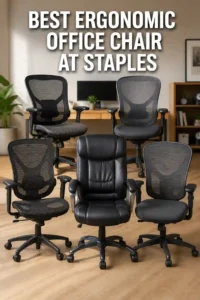 | Best Ergonomic Office Chair at Staples: Top 5 Picks |
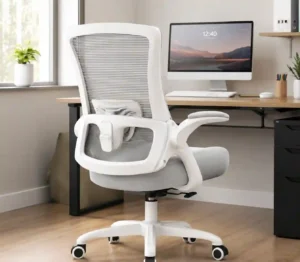 | Best Ergonomic Office Chair for Back Pain: 6 Top Picks |
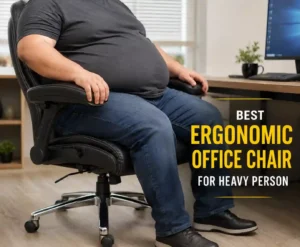 | Best Ergonomic Office Chair for Heavy Person: 5 Picks |
For shoppers on a tighter budget, the Ticova Ergonomic Office Chair offers extensive adjustment at a much lower price. At the premium end, the Herman Miller Embody stands out for its Pixelated Support, adjustable arms, seat-height adjustment, and 12-year warranty.
- Best Overall: Steelcase Gesture
- Best Budget: Ticova Ergonomic Office Chair
- Best Premium: Herman Miller Embody
- Best Adjustability: Branch Ergonomic Chair Pro
- Best Mesh Design: Steelcase Karman
- Best for Different Body Sizes: HINOMI H2 Pro
- Best Affordable Alternative: Staples Dexley
Best Ergonomic Office Chairs at a Glance
The seven chairs below cover different budgets, adjustment needs, materials, and sitting preferences. They also give shoppers alternatives instead of forcing one chair to fit every body type.
| Award | Chair | Key Strength | Amazon |
|---|---|---|---|
| Best Overall | Steelcase Gesture | 360-degree arms and broad ergonomic adjustment | View on Amazon |
| Best Budget | Ticova Ergonomic Office Chair | Adjustable lumbar, headrest, arms, seat, and tilt | View on Amazon |
| Best Premium | Herman Miller Embody | Pixelated Support and long-term adjustability | View on Amazon |
| Best Adjustability | Branch Ergonomic Chair Pro | 14 adjustment points | View on Amazon |
| Best Mesh | Steelcase Karman | Weight-activated lumbar support and breathable Intermix textile | View on Amazon |
| Best Fit Range | HINOMI H2 Pro | 19 adjustment points and 330-pound capacity | View on Amazon |
| Best Affordable Alternative | Staples Dexley | Breathable mesh design and adjustable arms | View on Amazon |
Steelcase Gesture
BEST OVERALL
Best For: Long workdays, multiple sitting positions, and users who want extensive arm and posture adjustment
STEELCASE
Steelcase Gesture Office Chair - Ergonomic Work Chair with Wheels for Carpet - Comfortable - Intuitive-to-Adjust for Desk - 360-Degree Arms - Coconut Yellow Fabric
The Steelcase Gesture is the article's best overall ergonomic office chair because it combines broad adjustability, supportive ergonomics, and long-workday comfort. Its 360-degree arms are particularly useful for people who change positions while typing, editing, designing, or using a mouse.
Who Should Buy It
This chair is best for people who spend long hours at a desk and want extensive arm and posture adjustment. It is also a strong choice for users who frequently switch between different working positions.
Why We Pick It
The Gesture earned the top spot because its design supports different sitting positions and work postures while providing extensive adjustment. Steelcase also lists a 400-pound weight capacity and a 12-year, multi-shift warranty.
Features & Benefits
| Feature | Benefit |
|---|---|
| 360-degree arms | lets you position your arms for different desk activities and sitting positions |
| Broad ergonomic adjustment | helps create a more personalized fit |
| Supportive backrest | provides support while allowing posture changes |
| 400-pound capacity | accommodates a higher user weight than many office chairs |
| 12-year multi-shift warranty | provides long-term coverage for heavy office use |
Pros & Cons
| Pros | Cons |
|---|---|
| ✓ Excellent overall adjustability | ✕ Premium pricing |
| ✓ 360-degree adjustable arms | ✕ May offer more adjustment than some users need |
| ✓ 400-pound weight capacity |
Ticova Ergonomic Office Chair
BEST BUDGET
Best For: Affordable ergonomic support with adjustable lumbar support, headrest, armrests, and seat height

TICOVA
Ticova Ergonomic Office Chair - High Back Desk Chair with Adjustable Lumbar Support, Headrest & 3D Armrest - 130°Rocking Mesh Computer Chair
The Ticova Ergonomic Office Chair is the article's best budget pick because it provides extensive ergonomic adjustment without moving into the premium price category. Its adjustable lumbar support, headrest, 3D armrests, seat height, and 130-degree rocking function cover many of the key fit points discussed in the article.
Who Should Buy It
This chair is best for budget-conscious home-office users who still want adjustable ergonomic support. It is particularly suitable for users who want lumbar, headrest, armrest, and tilt adjustments without paying for a premium chair.
Why We Pick It
The Ticova earned its budget recommendation by combining several useful adjustments at a much lower price than the premium models. The article specifically highlights its lumbar support, headrest, armrests, seat-height adjustment, and tilt range.
Features & Benefits
| Feature | Benefit |
|---|---|
| Adjustable lumbar support | lets you position lower-back support to better match your body |
| Adjustable headrest | provides customizable support for the head and neck |
| 3D armrests | allow more flexible arm positioning while working |
| 130-degree rocking | provides a reclined position for changing posture |
| Mesh design | improves airflow during desk work |
Pros & Cons
| Pros | Cons |
|---|---|
| ✓ Strong value for the price | ✕ Less premium than the Steelcase and Herman Miller options |
| ✓ Extensive adjustment options | ✕ 3.9-star customer rating shown on Amazon |
| ✓ Breathable mesh construction |
Herman Miller Embody
BEST PREMIUM
Best For: Premium buyers who want advanced back support, movement-friendly seating, and long-term adjustability

HERMAN MILLER
Herman Miller Embody Ergonomic Office Chair | Fully Adjustable Arms and Carpet Casters | Black Rhythm
The Herman Miller Embody is the article's premium ergonomic office chair for buyers who prioritize advanced back support, movement-friendly seating, and long-term adjustability. Its Pixelated Support system, adjustable arms, seat-height adjustment, and long warranty make it a high-end alternative to the more affordable models.
Who Should Buy It
This chair is best for premium buyers who spend many hours at a desk and want advanced ergonomic support. It is also suited to users who prioritize long-term ownership and extensive adjustability.
Why We Pick It
The Embody earned the premium designation because of its advanced Pixelated Support system and long-term adjustability. The article also highlights its adjustable arms, seat-height adjustment, and 12-year warranty.
Features & Benefits
| Feature | Benefit |
|---|---|
| Pixelated Support | distributes support across the back while accommodating movement |
| Fully adjustable arms | helps position the forearms comfortably for different desk tasks |
| Adjustable seat height | helps users establish a suitable working height |
| Movement-friendly seating | allows posture changes rather than forcing one fixed position |
| 12-year warranty | supports long-term premium ownership |
Pros & Cons
| Pros | Cons |
|---|---|
| ✓ Advanced back-support design | ✕ Expensive premium option |
| ✓ Excellent adjustability | ✕ 3.9-star customer rating shown on Amazon |
| ✓ Long 12-year warranty |
Branch Ergonomic Chair Pro
BEST ADJUSTABILITY
Best For: Users who want a highly customizable chair with many adjustment points

BRANCH
Branch Ergonomic Chair Pro, Mesh Office Chair with 14 Points of Adjustment
The Branch Ergonomic Chair Pro is the article's best choice for adjustability, with 14 adjustment points designed to create a highly personalized fit. Its mesh construction, adjustable height and depth, tilt controls, 5D armrests, forward tilt, recline, and lumbar support give users many ways to configure the chair.
Who Should Buy It
This chair is best for users who want to fine-tune their office chair rather than rely on a limited set of adjustments. It is especially useful for people with specific posture or fit preferences.
Why We Pick It
The chair earned its spot because the article identifies it as the best adjustability option and specifically highlights its 14 adjustment points. Its broad adjustment range supports the article's emphasis on matching the chair to individual body dimensions and working habits.
Features & Benefits
| Feature | Benefit |
|---|---|
| 14 adjustment points | provides extensive control over the chair's fit |
| 5D armrests | offer multiple ways to position arm support |
| Adjustable height and depth | helps accommodate different body sizes |
| Forward tilt | provides another working posture for desk tasks |
| Lumbar support | helps support the lower-back curve |
Pros & Cons
| Pros | Cons |
|---|---|
| ✓ Extensive adjustment range | ✕ Many adjustments can take time to configure |
| ✓ 5D armrests | ✕ Less established review volume than some alternatives |
| ✓ Strong 4.3-star rating shown on Amazon |
Steelcase Karman
BEST MESH DESIGN
Best For: Users who prefer a lightweight-feeling mesh chair with responsive lumbar support

STEELCASE
Steelcase Karman Mesh Ergonomic Desk Chair - Adjustable Desk Chair - 4 Points of Adjustability - Lumbar Support - Seagull Frame & Merlot Mesh
The Steelcase Karman is the article's best mesh design, aimed at users who prefer a lightweight-feeling breathable chair with responsive lumbar support. Its Intermix textile and weight-activated lumbar support provide a different approach to ergonomic support than traditional padded office chairs.
Who Should Buy It
This chair is best for users who prefer a breathable mesh-oriented chair and want responsive lumbar support. It is a good alternative for shoppers who value airflow and a lighter-feeling design.
Why We Pick It
The Karman earned its mesh designation because the article highlights its weight-activated lumbar support and breathable Intermix textile. The article also emphasizes that mesh alone does not make a chair ergonomic, so fit and support remain important.
Features & Benefits
| Feature | Benefit |
|---|---|
| Intermix textile | provides a breathable mesh-like seating experience |
| Weight-activated lumbar support | responds to the user's weight to provide lower-back support |
| 4 points of adjustability | provides basic customization of the chair's fit |
| Mesh construction | encourages airflow during longer periods of sitting |
Pros & Cons
| Pros | Cons |
|---|---|
| ✓ Breathable mesh design | ✕ Limited adjustment compared with the Branch Pro |
| ✓ Responsive lumbar support | ✕ 3.2-star rating and relatively low review count shown on Amazon |
| ✓ Lightweight-feeling construction |
HINOMI H2 Pro
BEST FOR FIT AND BODY SIZE
Best For: Users who need extensive adjustment and higher weight capacity
HINOMI
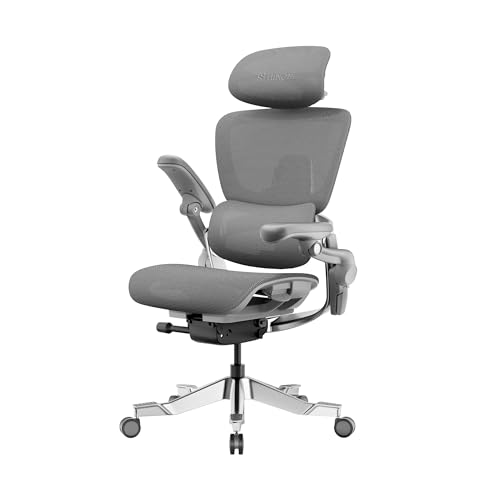
HINOMI H2 Pro Premium Ergonomic Office Chair - Comfy Home Office Desk Computer Chair with Adjustable Back Support, Swivel Wheels, Flip-up Arms, Comfortable Mesh Seat for Desk Work (Gray)
The HINOMI H2 Pro is the article's pick for users who need extensive adjustment and higher weight capacity. Its 19 adjustment points and listed 330-pound capacity make it particularly relevant to the article's focus on body size, seat fit, lumbar support, and adjustability.
Who Should Buy It
This chair is best for users who need a wide adjustment range or want a chair designed to accommodate different body sizes. It is also a strong option for users who need a higher listed weight capacity.
Why We Pick It
The H2 Pro earned its place because it offers 19 adjustment points and a listed 330-pound weight capacity. The article specifically identifies it as the best option for fit and body size.
Features & Benefits
| Feature | Benefit |
|---|---|
| 19 adjustment points | provides extensive customization for different body proportions |
| Adjustable back support | helps position lower-back support for individual comfort |
| Flip-up arms | allow the armrests to move out of the way when needed |
| Mesh seat | promotes airflow during desk work |
| 330-pound capacity | supports users who need a higher-rated chair |
Pros & Cons
| Pros | Cons |
|---|---|
| ✓ Extensive adjustment range | ✕ Extensive controls may require more setup |
| ✓ 330-pound listed capacity | ✕ Premium positioning may cost more than basic budget chairs |
| ✓ Breathable mesh seat |
Staples Dexley
BEST AFFORDABLE ALTERNATIVE
Best For: Budget-conscious home-office users who want a breathable mesh chair

STAPLES
Staples Dexley Ergonomic Mesh Swivel Task Chair, Black
The Staples Dexley is the article's affordable alternative for budget-conscious home-office users who want a breathable mesh chair. Its lumbar support and adjustable design provide the basic ergonomic features needed for a practical desk setup without moving into premium-chair pricing.
Who Should Buy It
This chair is best for budget-conscious home-office users who want a straightforward ergonomic mesh task chair. It is particularly suitable for shoppers who prioritize basic support, adjustability, and airflow over premium materials or advanced adjustment systems.
Why We Pick It
The Dexley earned its spot because it offers a breathable mesh design and adjustable components at a more accessible level. The article presents it as an alternative to the more expensive Gesture, Embody, and other highly adjustable chairs.
Features & Benefits
| Feature | Benefit |
|---|---|
| Breathable mesh back | improves airflow during extended desk sessions |
| Adjustable lumbar support | helps support the lower-back curve |
| Adjustable design | lets users customize important contact points |
| Swivel task-chair construction | makes it easier to move around the workstation |
Pros & Cons
| Pros | Cons |
|---|---|
| ✓ Affordable ergonomic option | ✕ Fewer advanced adjustments than premium chairs |
| ✓ Breathable mesh construction | ✕ Less sophisticated ergonomic system than the Gesture or Embody ### |
| ✓ 4.5-star rating shown on Amazon |
How to Choose the Best Ergonomic Office Chair
The best ergonomic office chair should fit your body and let you adjust the main contact points. OSHA recommends considering the backrest, seat, armrests, base, lumbar support, seat depth, seat height, and overall adjustability when selecting a chair.
More adjustment is not automatically better. Instead, look for adjustments that solve your specific fit problems.
What Makes an Office Chair Ergonomic?
An ergonomic office chair supports a neutral sitting position while allowing you to change posture. A good chair should support the lower back, thighs, arms, and feet without forcing your body into one fixed position.
OSHA recommends a backrest that follows the natural curve of the spine and provides suitable lumbar support. It also recommends a seat that lets the feet rest on the floor or a stable footrest.
Why Is Lumbar Support Important?
Lumbar support helps support the lower-back curve while you work. The support should fit your body instead of pushing aggressively into one small area.
Adjustable lumbar support is especially useful because people have different torso lengths and sitting preferences. The Ticova, Branch Ergonomic Chair Pro, HINOMI H2 Pro, and other selected models provide different approaches to lower-back support.
How Important Is Seat Depth?
Seat depth matters because the seat should support your thighs without pressing against the backs of your knees. A seat that is too deep can also prevent shorter users from sitting fully against the backrest.
OSHA specifically recommends adjustable seat depth because it can better accommodate shorter and taller users. CCOHS also recommends selecting a chair whose seat depth and height can accommodate the user’s body size.
What Should Adjustable Armrests Do?
Adjustable armrests should support your forearms while keeping your shoulders relaxed. Armrests that sit too high can raise the shoulders, while armrests that sit too low may provide little useful support.
Arm adjustment becomes especially useful when you spend many hours typing, editing, designing, or using a mouse. Steelcase Gesture stands out here because its arms are designed to move with different work positions.
Does Mesh Make an Ergonomic Chair Better?
Mesh can improve airflow, but mesh alone does not make a chair ergonomic. The back support, seat fit, adjustment range, and overall construction still matter.
The Steelcase Karman uses Steelcase’s Intermix textile, while the Ticova, HINOMI, and Staples Dexley use mesh-oriented designs. Choose based on support and fit rather than appearance alone.
How Much Weight Capacity Do You Need?
Choose a chair whose rated capacity comfortably exceeds your body weight. Do not select a chair based only on appearance or price.
OSHA notes that many chairs are designed for users below 275 pounds and advises choosing a chair designed for higher loads when necessary. The supplied product data lists the HINOMI H2 Pro at up to 330 pounds, while Steelcase lists the Gesture at up to 400 pounds.
Fit matters more than feature count. A chair with fewer adjustments can outperform a highly adjustable chair if its seat, backrest, and armrests fit your body better.
Are Ergonomic Office Chairs Worth It?
Ergonomic office chairs are worth considering if you spend several hours at a desk each day. The main benefit is not a magic posture correction. It is the ability to create a better-supported workstation and change positions during the day.
OSHA recommends changing working positions frequently instead of remaining still for prolonged periods. Therefore, even the best ergonomic chair should be part of a workstation that lets you move, stand, and adjust your position.
For frequent desk users, spending more can make sense when the extra cost provides better fit, adjustment, durability, or warranty coverage. However, budget models such as the Ticova and Staples Dexley can still cover important ergonomic requirements.
What Is a Good Ergonomic Office Chair?
A good ergonomic office chair provides useful adjustment without making the setup complicated. At minimum, look for adjustable seat height, appropriate lumbar support, a comfortable seat, and a backrest that supports different positions.
For longer work sessions, add adjustable seat depth and armrests to the checklist. These features make it easier to keep your back supported while keeping your arms and legs in comfortable positions.
What Is the Most Comfortable Ergonomic Office Chair?
The most comfortable ergonomic office chair depends on your body and sitting preferences. The Herman Miller Embody is the strongest premium option in this selection, while the Steelcase Gesture offers a more adaptable approach for different work positions.
Budget shoppers should look closely at the Ticova because its supplied product data includes adjustable lumbar support, headrest adjustment, 3D armrests, seat-height adjustment, and a 130-degree tilt range.
Comfort should also include the seat surface. A chair that feels soft for five minutes may not remain comfortable during a full workday.
What Is the Best Ergonomic Office Chair for Long Hours?
The Steelcase Gesture is the strongest overall choice for long work sessions in this selection. Its design focuses on supporting different users and postures, while its adjustable arms help accommodate changing desk activities.
The Herman Miller Embody is another strong choice for extended sitting because its Pixelated Support system is designed around movement and pressure distribution. The HINOMI H2 Pro is also worth considering when a wider adjustment range matters.
Still, long hours should not mean sitting in one position. OSHA recommends changing working positions frequently and taking opportunities to stand and move.
What Is the Best Budget Ergonomic Office Chair?
The Ticova Ergonomic Office Chair is the best budget pick from the supplied products. Its product data shows a broad set of adjustments without moving into the premium price category.
The Ticova provides adjustable lumbar support, headrest height and angle adjustment, adjustable armrests, seat-height adjustment, and tilt adjustment up to 130 degrees.
The Staples Dexley is another lower-cost alternative. Its mesh back and adjustable arms make it useful for shoppers who want basic ergonomic features without paying for a premium chair.
How Should You Adjust an Ergonomic Office Chair?
Start with seat height, then adjust the backrest, seat depth, lumbar support, and armrests. The goal is to keep your feet supported and your back comfortably supported.
- Set the seat height: Keep both feet flat on the floor or use a stable footrest.
- Adjust seat depth: Keep the front edge from pressing against the backs of your knees.
- Position lumbar support: Place the support where it matches your lower-back curve.
- Adjust the backrest: Set recline resistance and position for your normal work posture.
- Set the armrests: Keep your shoulders relaxed and your elbows close to your body.
- Check the desk: Make sure your keyboard and mouse do not force you to reach forward.
- Change position: Stand, walk, stretch, or adjust your posture throughout the day.
How Do You Know If an Ergonomic Office Chair Fits?
A chair fits when your feet are supported, your thighs are supported, your lower back meets the backrest, and the armrests support your forearms without raising your shoulders.
Seat depth is especially important. A seat that is too long can prevent shorter users from using the lumbar support correctly, while a seat that is too short may provide insufficient thigh support.
Body size also matters when choosing a chair. Consider the published height range, seat dimensions, weight capacity, and adjustment range instead of relying on a generic “ergonomic” label.
What Should You Spend on an Ergonomic Office Chair?
Spend enough to get the adjustment range and fit you need, rather than chasing the highest price. The right budget depends on how often you use the chair and how important long-term durability is.
- Budget: Focus on seat height, lumbar support, breathable materials, and basic adjustability.
- Mid-range: Look for seat-depth adjustment, better armrests, stronger lumbar adjustment, and better construction.
- Premium: Prioritize long-term durability, advanced ergonomic systems, warranty coverage, and precise fit.
A $1,000-plus chair is not automatically better for every person. Likewise, a cheap chair is not automatically a poor ergonomic choice.
Which Ergonomic Office Chair Is Best for Different Users?
The best chair changes depending on the user’s priorities. Use the following categories to narrow the selection quickly.
| User Need | Best Choice | Reason |
|---|---|---|
| Overall office use | Steelcase Gesture | Strong combination of adjustability and posture support |
| Budget | Ticova | Extensive adjustment at a lower price |
| Premium comfort | Herman Miller Embody | Advanced support and premium construction |
| Maximum adjustment | Branch Ergonomic Chair Pro | 14 adjustment points |
| Mesh preference | Steelcase Karman | Intermix textile and responsive lumbar support |
| Higher capacity | HINOMI H2 Pro | 330-pound listed capacity and extensive adjustment |
| Lower-cost alternative | Staples Dexley | Mesh construction and adjustable arms |
Why Adjustability Matters More Than a Long Feature List
Adjustability matters because people differ in height, leg length, torso length, shoulder width, and sitting habits. A chair should therefore let you create a personal fit.
CCOHS recommends checking whether the chair’s adjustment range accommodates the user’s body size. It also highlights seat height, seat depth, backrest adjustment, lumbar support, and seat width as important selection factors.
That principle explains why the Branch Ergonomic Chair Pro and HINOMI H2 Pro are interesting alternatives. Their broad adjustment ranges can help users who struggle to find a comfortable position on simpler chairs.
Ergonomic Chair Buying Checklist
Use this checklist before buying an ergonomic office chair. It helps separate useful ergonomic features from marketing language.
- Seat height: Can you keep your feet supported?
- Seat depth: Does the seat support your thighs without pressing behind your knees?
- Lumbar support: Does the backrest support your lower back without creating pressure points?
- Armrests: Can you keep your shoulders relaxed while typing?
- Backrest: Can you recline and change posture comfortably?
- Seat width: Does it give you enough room to change positions?
- Weight capacity: Does the chair comfortably support your body weight?
- Materials: Is the seat and back appropriate for your climate and sitting habits?
- Warranty: Does the warranty justify the purchase price?
- Desk compatibility: Can you position the chair close enough to your desk?
- Movement: Can you adjust your posture rather than staying fixed?
Are Expensive Ergonomic Chairs Better?
Expensive ergonomic chairs can offer better materials, adjustment systems, construction, and warranty coverage, but price alone does not determine fit.
The Herman Miller Embody is a good example of a premium chair. Its official specifications list a 12-year warranty, adjustable arms, a 16- to 20.5-inch seat-height range, and a 300-pound weight capacity.
Steelcase Gesture provides another premium approach. Steelcase lists a 400-pound capacity and a 12-year multi-shift warranty.
However, budget buyers do not need to start at four figures. The Ticova and Staples Dexley provide lower-cost ways to get useful ergonomic adjustments.
What Is the Best Ergonomic Chair for a Home Office?
The best home-office ergonomic chair is the one that matches your desk, body size, work hours, and adjustment needs. For a versatile home workspace, the Steelcase Gesture is the strongest overall choice here.
If budget matters more, the Ticova provides more adjustment than many basic task chairs. The Staples Dexley is another practical option for a simpler home-office setup.
For a premium workspace, the Herman Miller Embody or Steelcase Karman offers a more sophisticated alternative.
External Ergonomic Guidance and Sources
For objective chair-selection guidance, OSHA recommends evaluating adjustability, lumbar support, seat height, seat depth, armrests, and body fit. Its workstation guidance also emphasizes changing positions throughout the day rather than remaining static.
CCOHS similarly recommends choosing a work chair that can accommodate the user’s body size and provides adjustable seat height, seat depth, backrest support, and lumbar support.
OSHA’s computer workstation chair guidance
CCOHS ergonomic chair guidance
Frequently Asked Questions About Ergonomic Office Chairs
What is an ergonomic office chair?
An ergonomic office chair is designed to support the body while allowing useful adjustment and posture changes. Important features include seat-height adjustment, lumbar support, suitable seat depth, armrest adjustment, and a supportive backrest.
Why do I need an ergonomic office chair?
You may benefit from an ergonomic chair if you spend long periods working at a desk. A well-adjusted chair can provide better support and help reduce awkward sitting positions.
What features should I look for in the best ergonomic office chair?
Prioritize fit and adjustment over the number of features. Start with seat height, seat depth, lumbar support, armrests, backrest adjustment, seat width, weight capacity, and warranty.
How do I adjust my ergonomic chair for optimal comfort?
Set the seat height first, then adjust seat depth, lumbar support, backrest angle, and armrests. Your feet should remain supported, your back should meet the backrest, and your shoulders should stay relaxed.
How much should I spend on an ergonomic office chair?
Spend according to your daily usage and the adjustments you actually need. Budget models can work well, while premium chairs can make sense for heavy daily use and buyers who value durability and long warranties.
How do I know if an ergonomic office chair will fit my body?
Check the chair’s seat height, seat depth, seat width, adjustment range, and weight capacity. A good fit lets you sit fully against the backrest while keeping your feet supported and your knees comfortable.
What is the best ergonomic office chair for long hours?
The Steelcase Gesture is the strongest overall choice in this selection for long work sessions. The Herman Miller Embody and Steelcase Karman are also strong premium alternatives.
What is the best affordable ergonomic office chair?
The Ticova Ergonomic Office Chair is the strongest affordable choice here. It combines adjustable lumbar support, a headrest, armrests, seat height, and tilt adjustment at a lower price than the premium models.
What is the best ergonomic office chair for lumbar support?
Choose a model with adjustable lumbar support that matches your body rather than simply choosing the chair with the most aggressive support. Ticova, Branch Ergonomic Chair Pro, HINOMI H2 Pro, and several other selected models provide adjustable lower-back support.
What are the best ergonomic desk chairs?
The best ergonomic desk chairs are those that fit your body and workstation while providing useful adjustment. The Steelcase Gesture is the strongest all-around option, while Ticova offers better value for budget shoppers.
Final Thought
The Steelcase Gesture is the best overall choice here, but the right chair depends on your budget, body fit, work hours, and preferred adjustments.
- Best Overall: Steelcase Gesture | View Now at Amazon
- Best Budget: Ticova Ergonomic Office Chair | View Now at Amazon
- Best Premium: Herman Miller Embody | View Now at Amazon
- Best Adjustability: Branch Ergonomic Chair Pro | View Now at Amazon
- Best Mesh: Steelcase Karman | View Now at Amazon
- Best Fit Range: HINOMI H2 Pro | View Now at Amazon
- Best Affordable Alternative: Staples Dexley | View Now at Amazon
Choose the chair that gives your body the right support, then adjust your workstation so you can move comfortably throughout the workday.