
The best ergonomic office chair for fibromyalgia is the Herman Miller Aeron for readers who prioritize premium adjustability, breathable support, and long-term ergonomic fit. However, the Duramont Ergonomic Office Chair offers more targeted lumbar adjustment, while the Staples Hyken provides a more affordable starting point.
The right choice depends on body size, sitting position, lumbar-support needs, cushioning preference, and budget. Because fibromyalgia can involve widespread pain, tenderness, fatigue, and increased sensitivity to pain, a chair should be viewed as a comfort and workstation-support tool rather than a treatment for the condition. 0
For this roundup, the comparison focuses on adjustability, lumbar support, seat comfort, body fit, armrest positioning, materials, recline features, and overall workstation compatibility. The guide also explains how to choose an ergonomic chair for back issues, what to look for in an office chair for fibromyalgia sufferers, and which features matter most during long periods of desk work.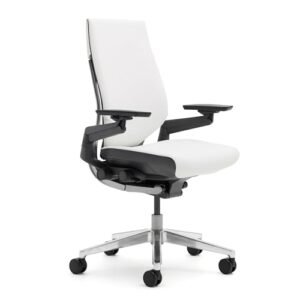
Quick Answer: The Herman Miller Aeron is the strongest overall choice for premium ergonomic support and adjustability. The Duramont is a better fit for shoppers who specifically want highly adjustable lumbar support. Meanwhile, the Staples Hyken is the most accessible budget option, and the La-Z-Boy Big and Tall chair makes more sense for larger users who prefer a padded executive design.
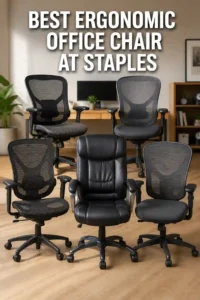
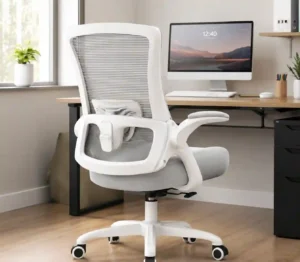
Our Verdict: Which Office Chair Is Best for Fibromyalgia?
The Herman Miller Aeron is the best overall choice when ergonomic adjustability, breathable support, and long-term workstation fit matter most. Its adjustable seat height, tilt limiter, tension control, and seat-angle adjustment give users several ways to fine-tune the sitting position.
However, the Aeron is not automatically the right chair for everyone. The Duramont Ergonomic Office Chair stands out for adjustable lumbar support, while the WorkPro Quantum 9000 offers useful seat-depth, back-height, and armrest adjustments at a lower price point.
For shoppers on a tighter budget, the Staples Hyken combines mesh back support, a padded waterfall seat, adjustable arm positioning, and reclining resistance. Larger users should also consider the La-Z-Boy Big and Tall Executive Office Chair because its design targets a different body-size requirement.
Readers who want a premium alternative to the Aeron can consider the Steelcase Gesture. Its 360-degree arms and design for different working postures make it particularly relevant for people who change positions frequently.
Before choosing a chair, remember that there is no universal sitting position that works perfectly for every person. OSHA recommends an adjustable chair that provides suitable back, leg, arm, and seat support while allowing users to change positions throughout the workday. OSHA’s chair guidance provides useful workstation criteria for evaluating ergonomic seating.
Best Ergonomic Office Chairs for Fibromyalgia at a Glance
| Award | Chair | Best Feature | Amazon |
|---|---|---|---|
| Best Overall | Herman Miller Aeron | Premium ergonomic adjustability | View on Amazon |
| Best Premium | Steelcase Gesture | 360-degree arm adjustment | View on Amazon |
| Best Lumbar Support | Duramont Ergonomic Office Chair | 4D adjustable lumbar support | View on Amazon |
| Best Mid-Range | WorkPro Quantum 9000 | Seat and armrest adjustability | View on Amazon |
| Best Budget | Staples Hyken | Mesh support and padded waterfall seat | View on Amazon |
| Best Big & Tall | La-Z-Boy Big and Tall Executive Chair | Large-body executive seating | View on Amazon |
Herman Miller Aeron: Best Overall
Best Overall
Best For: Users who want premium ergonomic adjustability and breathable support for extended desk work.

HERMAN MILLER
Herman Miller Aeron Ergonomic Chair - Size B, Graphite
The Herman Miller Aeron is the strongest overall choice in this roundup for users who prioritize premium ergonomic adjustability, breathable support, and long-term workstation fit. The Size B model provides seat-height adjustment, tilt limiting, tension control, and seat-angle adjustment, making it easier to fine-tune the chair to different sitting preferences.
Who Should Buy It
This chair is best for users who spend many hours at a desk and want extensive ergonomic adjustment rather than a low-cost chair. Buyers should confirm that the Size B dimensions and fit are appropriate for their body before ordering.
Why We Pick It
It earned the Best Overall position because it combines multiple ergonomic adjustments with a breathable mesh-based design and strong workstation compatibility. Its main limitation is the premium price, which makes it less suitable for shoppers on a tight budget.
Features & Benefits
| Feature | Benefit |
|---|---|
| Adjustable seat height | lets users set the chair to a more suitable working height |
| Tilt limiter | lets users control the range of recline |
| Tension control | changes the effort required to recline |
| Seat-angle adjustment | allows the seat position to be fine-tuned for different sitting preferences |
| Breathable mesh design | provides airflow during extended desk sessions |
Pros & Cons
| Pros | Cons |
|---|---|
| ✓ Excellent ergonomic adjustability | ✕ Very expensive |
| ✓ Breathable support | ✕ Size B may not suit every body type |
| ✓ Strong long-term workstation fit |
The Herman Miller Aeron is the strongest overall pick because it combines multiple ergonomic adjustments with a breathable mesh-based design. The supplied Size B model includes seat-height adjustment, a tilt limiter, tension control, and seat-angle adjustment.
That adjustability matters because body proportions and preferred sitting positions vary. OSHA recommends chairs that can be adjusted to provide adequate support and accommodate different seated postures. 1
The Size B configuration also makes this particular listing more specific than a generic Aeron recommendation. Buyers should still confirm that the chair’s size and dimensions suit their body before ordering.
The main drawback is cost. At the supplied price of $1,499.99, the Aeron sits firmly in the premium category.
For shoppers who spend many hours at a desk and value fine adjustment over a low purchase price, the Aeron is the most compelling choice in this lineup.
Steelcase Gesture: Best Premium Chair for Long Work Sessions
Best Premium
Best For: Users who change working positions frequently and want highly adaptable arm support.

STEELCASE
Steelcase Gesture Office Chair - Ergonomic Work Chair with Wheels for Carpet - Comfortable - Intuitive-to-Adjust for Desk - 360-Degree Arms - Graphite Gray Fabric
The Steelcase Gesture is the best premium alternative to the Aeron for users who frequently change working positions. Its standout 360-degree arms and adaptable design make it particularly relevant for people who move between different desk, keyboard, and computer postures during long work sessions.
Who Should Buy It
This chair is best for users who want premium construction and highly adaptable arm support and are comfortable paying a high upfront price. It is especially appealing to people who frequently change positions while working.
Why We Pick It
The Gesture earned its Best Premium position because its 360-degree arms support a wide range of working positions and give users an alternative ergonomic approach to the Aeron. Its biggest drawback is the substantial purchase price.
Features & Benefits
| Feature | Benefit |
|---|---|
| 360-degree arms | allow the armrests to adapt to different working positions |
| Intuitive adjustment | makes it easier to customize the chair for desk work |
| Ergonomic work-chair design | supports varied seated working postures |
| Carpet-compatible wheels | allow the chair to move across carpeted work areas |
Pros & Cons
| Pros | Cons |
|---|---|
| ✓ Highly adaptable arm support | ✕ Very expensive |
| ✓ Excellent premium alternative | ✕ May offer more adjustment than budget-conscious users need |
| ✓ Designed for changing work postures |
The Steelcase Gesture is the best premium alternative for users who want a chair designed around changing work postures. Its 360-degree arms are the standout feature in the supplied product information.
The chair is also positioned for extended use, which makes it relevant to people who spend long periods working at a computer. Its premium construction comes with a substantial supplied price of $1,510.48.
The Gesture makes the most sense for shoppers who value adjustment and long-term workstation ergonomics more than upfront cost. It also gives readers an alternative to the Aeron because the two chairs approach ergonomic seating differently.
Its price is the biggest barrier. A less expensive chair may provide enough adjustment for users who do not need a premium office chair.
Duramont Ergonomic Office Chair: Best Adjustable Lumbar Support
Best Lumbar Support
Best For: Users who want highly adjustable lower-back support and a cushioned seat.
DURAMONT
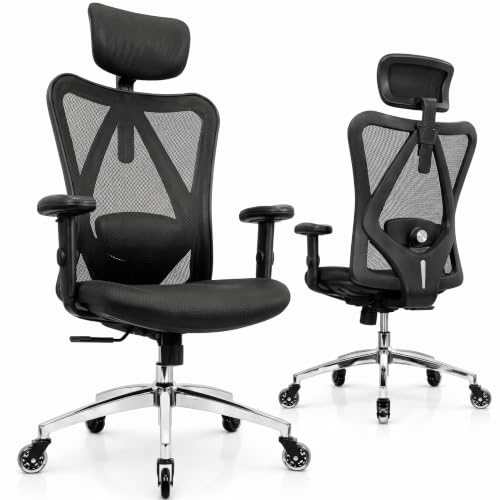
Duramont Ergonomic Office Chair | Adjustable Desk Chair with Lumbar Support and Rollerblade Wheels | High Back Chair with Breathable Mesh | Thick Seat Cushion
The Duramont Ergonomic Office Chair is the strongest choice in this roundup for users who place adjustable lumbar support at the top of their priorities. Its 4D lumbar system moves up, down, in, and out, while the high back, breathable mesh, and thick seat cushion provide a combination of support and cushioning.
Who Should Buy It
This chair is best for users who want to fine-tune lower-back support and prefer a cushioned seat rather than a fully mesh seating surface. It is also a strong choice for shoppers who want extensive adjustment without paying premium-chair prices.
Why We Pick It
It earned the Best Lumbar Support position because its 4D lumbar system provides unusually broad positioning control. The chair also offers a high back, breathable mesh, and thick cushioning, giving it a useful balance between adjustability and traditional padded comfort.
Features & Benefits
| Feature | Benefit |
|---|---|
| 4D adjustable lumbar support | moves up, down, in, and out to customize lower-back positioning |
| Breathable mesh back | improves airflow during long sitting periods |
| Thick seat cushion | provides a more cushioned sitting surface |
| Adjustable armrests | allow arm support to be positioned for different desk setups |
| Reclining function | lets users change their sitting position during work |
Pros & Cons
| Pros | Cons |
|---|---|
| ✓ Highly adjustable lumbar support | ✕ Less refined than premium alternatives |
| ✓ Thick cushioned seat | ✕ Cushion and fit preferences vary between users |
| ✓ More affordable than premium chairs |
The Duramont Ergonomic Office Chair is the strongest choice for shoppers who put adjustable lumbar support at the top of the list. The supplied product information identifies a 4D lumbar system that moves up, down, in, and out.
That range of adjustment gives users more control over where the lumbar support contacts the lower back. OSHA similarly emphasizes adjustable lumbar positioning because the lower-back curve differs between users. 2
The Duramont also combines a high back with breathable mesh and a thick seat cushion. That combination may appeal to users who prefer more traditional padded seating than a fully mesh chair.
The supplied price is $279.46, although Amazon pricing can change. It therefore sits well below the two premium chairs while offering a particularly strong adjustment-focused feature set.
If lumbar adjustment matters more to you than brand prestige, the Duramont deserves serious consideration.
WorkPro Quantum 9000: Best Mid-Range Adjustable Chair
Best Mid-Range
Best For: Users who want multiple adjustments without moving into premium chair pricing.

WORKPRO
WorkPro® Quantum 9000 Series Ergonomic Mid-Back Mesh/Mesh Chair, Black
The WorkPro Quantum 9000 is a strong middle-ground option for users who want multiple ergonomic adjustments without moving into premium chair pricing. Its adjustable seat height, seat depth, back height, and armrests give users several ways to adapt the chair to their workstation.
Who Should Buy It
This chair is best for users who want meaningful adjustability and breathable mesh support while keeping the purchase price below the premium Aeron and Gesture. It is particularly useful for shoppers who need seat-depth adjustment to improve fit.
Why We Pick It
It earned the Best Mid-Range position because it combines several important fit adjustments in one chair. The seat-depth adjustment is especially useful for accommodating different leg lengths and reducing the likelihood of the seat extending too far behind the knees.
Features & Benefits
| Feature | Benefit |
|---|---|
| Adjustable seat height | lets users establish a suitable working height |
| Adjustable seat depth | helps accommodate different leg lengths and improve thigh support |
| Adjustable back height | allows the backrest to be positioned more appropriately |
| Adjustable armrests | provide more flexible arm positioning |
| Mesh construction | promotes airflow during extended sitting |
Pros & Cons
| Pros | Cons |
|---|---|
| ✓ Multiple useful adjustments | ✕ Less premium than Aeron or Gesture |
| ✓ Breathable mesh construction | ✕ Mid-back design may provide less upper-back coverage for some users |
| ✓ Strong mid-range alternative |
The WorkPro Quantum 9000 is a strong middle-ground option because it combines several useful adjustments in one office chair. The supplied product information lists adjustable seat height, seat depth, back height, and armrests.
Seat-depth adjustment is particularly useful because a seat that is too deep can prevent shorter users from maintaining proper back support. OSHA recommends adjustable seat depth so users can support their thighs without placing excessive pressure behind the knees. 3
The mesh construction also makes the Quantum 9000 relevant for shoppers who prefer a breathable chair. Its supplied price of $401 places it above the Hyken but below the premium Aeron and Gesture listings.
This chair is a practical option for readers who want meaningful adjustability but do not want to spend more than $1,000.
Staples Hyken: Best Budget Ergonomic Office Chair
Best Budget
Best For: Budget-conscious users who want mesh back support and basic ergonomic adjustments.

STAPLES
STAPLES Hyken Ergonomic Mesh Task Chair with Lumbar Support, Swivel, Gray
The STAPLES Hyken is the most accessible option in this roundup for shoppers who want basic ergonomic adjustments and mesh support without premium-chair pricing. Its mesh back, padded waterfall-style seat, adjustable seat height, arm positioning, and reclining resistance make it a practical starting point for an ergonomic comfortable office chair.
Who Should Buy It
This chair is best for budget-conscious home-office users who want breathable mesh support and useful everyday adjustments. It is a good option for shoppers who do not need the extensive customization or premium construction of higher-priced chairs.
Why We Pick It
It earned the Best Budget position because it provides several useful ergonomic features at a substantially lower price than the other chairs in the comparison. Its mesh back and padded waterfall-style seat also address both airflow and basic sitting comfort.
Features & Benefits
| Feature | Benefit |
|---|---|
| Mesh back | provides breathable support for extended desk work |
| Padded waterfall seat | provides cushioning with a rounded front edge |
| Adjustable seat height | lets users set a more suitable working position |
| Adjustable arm position | helps users position arm support for their desk |
| Reclining resistance | allows users to control the effort needed to recline |
Pros & Cons
| Pros | Cons |
|---|---|
| ✓ Affordable entry point | ✕ Fewer premium adjustments |
| ✓ Breathable mesh back | ✕ May not provide the same level of customization as higher-end chairs |
| ✓ Useful everyday adjustments |
The Staples Hyken is the most approachable option in this roundup because it offers several useful ergonomic adjustments without premium-chair pricing. The supplied listing includes adjustable seat height, arm position, and reclining resistance.
The chair also uses a mesh back with a padded waterfall-style seat. That combination is relevant because OSHA recommends a comfortable seat with a rounded front edge and suitable back support. 4
The supplied price is $154.99, making it substantially less expensive than the other chairs in this comparison.
The Hyken is therefore a sensible starting point for readers who want an ergonomic comfortable office chair without committing to a four-figure purchase.
However, shoppers should pay close attention to body fit. A low price does not make a chair suitable for every body type or workstation.
La-Z-Boy Big and Tall Executive Chair: Best for Larger Users
Best Big & Tall
Best For: Larger users who prefer a padded executive chair with lumbar support.

LA-Z-BOY
La-Z-Boy Big and Tall Executive Office Chair Lumbar Support, Leather Chair
The La-Z-Boy Big and Tall Executive Office Chair is designed for larger users who prefer a padded executive-style chair rather than a breathable mesh task chair. Its lumbar support, memory foam seat cushion, adjustable height and tilt, leather upholstery, wood arms, and 350-pound capacity give it a different fit and comfort profile from the mesh chairs in this roundup.
Who Should Buy It
This chair is best for larger users who need a higher-capacity executive chair and prefer padded leather-style seating. It is also worth considering for shoppers who prioritize a plush executive design over extensive ergonomic adjustment.
Why We Pick It
It earned the Best Big & Tall position because its design specifically targets larger users and provides a 350-pound capacity, memory foam cushioning, lumbar support, and adjustable height and tilt. Those characteristics make it a useful alternative for people who may not fit smaller task-chair designs comfortably.
Features & Benefits
| Feature | Benefit |
|---|---|
| 350-pound capacity | accommodates users who need a higher-capacity office chair |
| Memory foam seat cushion | provides a softer, cushioned sitting surface |
| Lumbar support | provides additional lower-back support |
| Adjustable height and tilt | allows users to change chair height and recline position |
| Leather upholstery | provides a padded executive-style seating surface |
Pros & Cons
| Pros | Cons |
|---|---|
| ✓ Designed for larger users | ✕ Less breathable than mesh chairs |
| ✓ Cushioned memory foam seat | ✕ Fewer fine ergonomic adjustments than premium task chairs ### |
| ✓ Executive-style leather design |
The La-Z-Boy Big and Tall Executive Office Chair takes a different approach from the mesh-heavy models in this roundup. Its supplied product information identifies a Big and Tall design, lumbar support, bonded leather upholstery, and an executive-style padded seat.
This makes the chair particularly relevant to users who need a larger seating configuration. OSHA notes that chair dimensions should match the user’s body size and that larger users may need an appropriately sized seat pan. 5
The supplied price is $379.99. That places the La-Z-Boy between the budget Hyken and premium Aeron or Gesture.
The main distinction is material and seating style. Users who prefer a padded executive chair may find this design more appealing than a breathable mesh chair.
For larger users, the Big and Tall configuration should take priority over simply choosing the most popular ergonomic chair.
How to Choose the Best Office Chair for Fibromyalgia
The best office chair for fibromyalgia should fit your body and allow frequent adjustments rather than force you into one fixed sitting position. Focus first on lumbar support, seat fit, adjustability, armrests, and comfort.
Fibromyalgia can involve widespread pain, tenderness, fatigue, and increased sensitivity to pain. Because individual symptoms vary, the most comfortable chair for one person may not feel comfortable for another. 6
For that reason, ergonomic design should be treated as a starting point. Your own body dimensions, desk height, monitor position, and preferred working posture also matter.
If you want another comparison focused specifically on back-related ergonomic seating, see this guide to ergonomic office chairs for back pain.
Look for Adjustable Lumbar Support
Adjustable lumbar support is one of the most useful features because the lower-back curve varies from person to person. A fixed lumbar pad may sit too high, too low, or too far forward for some users.
The Duramont stands out here because its supplied specification lists four-way lumbar adjustment. The Aeron and other adjustable chairs also provide ways to customize the sitting position.
OSHA recommends a backrest that supports the lower back and allows adjustment to suit different seated positions. 7
Choose a Seat That Fits Your Body
Seat depth and width should match your body rather than simply being as large as possible. A seat that is too deep can prevent shorter users from sitting fully against the backrest.
Conversely, a seat that is too short may fail to support enough of the thighs. OSHA recommends adjustable seat depth so users can maintain back support without excessive pressure behind the knees. 8
This is one reason the WorkPro Quantum 9000 is worth considering. Its supplied product information specifically lists adjustable seat depth.
Consider Seat Cushioning and Pressure Points
A comfortable seat should support the body without creating unnecessary pressure at the front edge or under the thighs. Cushioning preferences vary considerably.
Some users prefer the responsive feel of mesh. Others prefer a padded seat that feels softer during extended sitting.
The Staples Hyken uses a padded waterfall-style seat, while the Aeron takes a different mesh-based approach. The La-Z-Boy offers another option with padded executive-style seating.
If pressure or tenderness makes certain seat materials uncomfortable, personal fit should outweigh brand popularity.
Adjust the Armrests to Keep Your Shoulders Relaxed
Adjustable armrests can help support the forearms while keeping the shoulders relaxed. Poorly positioned armrests can interfere with the desk or force the shoulders upward.
OSHA recommends armrests that support the forearms while keeping the upper arms close to the body. 9
The WorkPro Quantum 9000 and Steelcase Gesture are particularly relevant when arm adjustment is a major priority.
Make Sure the Chair Reclines
A reclining backrest gives you another way to change position during desk work. Staying in exactly the same posture for prolonged periods is not ideal.
OSHA recommends changing working positions regularly and making small adjustments to the chair or backrest throughout the day. 10
That principle matters when choosing a chair for long work sessions. An excellent chair still works best when you use its adjustments instead of remaining completely static.
Choose Breathable Materials if Heat Is a Problem
Mesh is often a useful choice for users who prefer a cooler seating surface. It allows more airflow than many upholstered designs.
The Aeron, Hyken, WorkPro Quantum 9000, and Duramont all provide mesh-oriented options in the supplied product information.
However, breathability is not the only consideration. A chair that fits poorly can still feel uncomfortable even when its material is highly breathable.
Consider a Big-and-Tall Chair if You Need More Room
Larger users should prioritize a chair designed for their body size instead of simply choosing the highest-rated ergonomic model. Seat width, depth, height range, and weight capacity all affect fit.
The La-Z-Boy Big and Tall chair is the clearest option in this lineup for this use case.
OSHA’s purchasing guidance also notes that chairs should accommodate the user’s body dimensions and that larger users may need appropriately sized seating. 11
If body size is your main concern, you can also compare options in this ergonomic office chair guide for heavier users.
Why Proper Back Support Matters for Long Desk Work
Proper back support helps you maintain a more supported sitting position and reduces the need to lean forward without support. A suitable backrest should follow the lower-back area and allow adjustment where possible.
OSHA identifies lumbar support as an important part of a well-designed computer workstation chair. It also recommends adjusting the chair with the desk, monitor, keyboard, and other workstation components. 12
That does not mean an ergonomic chair treats fibromyalgia. Instead, a properly fitted chair can make the workstation more supportive and comfortable for desk work.
For users who experience persistent pain, fatigue, or other fibromyalgia symptoms, chair selection should complement professional medical guidance rather than replace it. NIAMS notes that fibromyalgia management can involve multiple approaches, including movement therapies, behavioral approaches, medications, and self-management. 13
Why Adjustability Is So Important for Fibromyalgia Comfort
Adjustability matters because there is no single chair setting that fits every body or every workday. Small changes can let you alter your sitting position instead of remaining fixed in one posture.
The most useful adjustments include:
- Seat height: Helps position the feet and legs correctly.
- Seat depth: Helps accommodate different leg lengths.
- Lumbar position: Lets the backrest support the lower back more precisely.
- Armrest height: Helps support the forearms without lifting the shoulders.
- Recline: Allows changes in trunk position throughout the day.
- Seat angle: Provides another way to fine-tune posture.
- Backrest height: Helps position support where the user’s back needs it.
The WorkPro Quantum 9000 is particularly strong for adjustment range. The Duramont is more focused on lumbar customization, while the Aeron provides several premium ergonomic controls.
If you want a broader look at what makes an ergonomic chair different, see what makes an office chair ergonomic.
What Is the Most Comfortable Ergonomic Office Chair?
The most comfortable ergonomic office chair is the one that fits your body and lets you adjust the main support points. There is no universal winner for every user.
For premium ergonomic comfort, the Herman Miller Aeron is the strongest choice in this roundup. For adjustable lumbar support, the Duramont is more directly focused on that feature.
The Staples Hyken may be more comfortable for shoppers who want a lower-cost mesh chair with a padded waterfall seat. Meanwhile, the La-Z-Boy may suit users who prefer substantial padded executive seating.
Comfort should therefore be evaluated by fit rather than softness alone. A very soft chair can still feel uncomfortable if the seat depth, lumbar position, or armrests are wrong.
What Is the Best Brand of Ergonomic Office Chair?
Herman Miller and Steelcase are two of the strongest premium brands represented in this comparison, but brand reputation should not replace individual fit. The Aeron and Gesture demonstrate why premium chairs can offer extensive ergonomic adjustment.
However, Duramont, WorkPro, and Staples provide less expensive alternatives with useful ergonomic features. The best brand is therefore the one that offers the adjustments and dimensions that suit your body and budget.
Readers comparing home-office seating can also see these home office computer desk options because desk height and chair adjustment work together.
Mesh vs. Padded Office Chairs for Fibromyalgia
Mesh chairs are a strong choice for airflow, while padded chairs can appeal to users who prefer a softer seating feel. Neither material is automatically best for everyone.
When Mesh Makes Sense
Mesh can be useful if you dislike heat buildup during long work sessions. It also provides a different type of support from thick foam cushioning.
The Herman Miller Aeron, WorkPro Quantum 9000, Duramont, and Staples Hyken represent this category in the supplied product lineup.
When a Padded Chair Makes Sense
Padded chairs can suit users who prefer a softer surface or a traditional executive-chair feel. The La-Z-Boy Big and Tall is the clearest example in this roundup.
The key is to avoid assuming that more cushioning always means more comfort. Seat shape, depth, support, and pressure distribution also matter.
How to Set Up an Ergonomic Office Chair Correctly
Start by adjusting the chair so your feet are supported, your lower back contacts the backrest, and your shoulders remain relaxed. Then adjust the desk and monitor to match the chair.
- Set the seat height: Keep your feet flat on the floor or use a stable footrest.
- Adjust the seat depth: Keep your back against the backrest without excessive pressure behind the knees.
- Position the lumbar support: Place it where it comfortably supports your lower back.
- Adjust the armrests: Keep your shoulders relaxed while your forearms receive support.
- Set the recline: Use a comfortable position rather than forcing a rigid upright posture.
- Position the monitor: Keep the screen in front of you so you do not repeatedly bend or twist your neck.
- Change position: Stand, walk, stretch, or alter your chair position regularly.
OSHA recommends changing working positions throughout the day because even a good posture can become problematic when maintained for too long. 14
For a complete workstation approach, consider pairing your chair with an appropriately sized home office desk for multiple monitors.
What Should You Look for in an Office Chair if You Have Fibromyalgia?
Look for adjustability, comfortable seating, suitable lumbar support, correct seat dimensions, supportive armrests, and the ability to change positions easily. These features matter more than marketing labels such as “ergonomic” or “executive.”
A practical checklist includes:
- Adjustable seat height
- Suitable seat depth
- Supportive backrest
- Adjustable lumbar support when possible
- Comfortable seat construction
- Adjustable armrests
- Recline or tilt adjustment
- Appropriate chair width
- Breathable material if heat is an issue
- Correct size for your body
- Easy movement and stable casters
OSHA’s chair purchasing checklist similarly emphasizes adjustability, seat dimensions, lumbar support, recline, armrests, and breathable, resilient materials. 15
Are Ergonomic Chairs Good for Back Pain and Fibromyalgia?
An ergonomic chair can provide better workstation support, but it should not be presented as a treatment for back pain or fibromyalgia. The benefit comes from improving fit, support, and posture during desk work.
For example, an adjustable lumbar system can help position the backrest more appropriately. A suitable seat depth can also reduce the need to slide forward away from the backrest.
OSHA notes that poor back support and inappropriate postures can contribute to back pain and fatigue during computer work. 16
Still, persistent or severe symptoms require appropriate medical evaluation. A chair should support daily activities rather than replace professional care.
Frequently Asked Questions About the Best Office Chair for Fibromyalgia
What is the best ergonomic office chair for fibromyalgia?
The Herman Miller Aeron is the best overall choice in this roundup because it offers premium ergonomic adjustment and breathable support. The Duramont is a stronger alternative if adjustable lumbar support is your top priority.
What is the most comfortable ergonomic office chair?
The most comfortable chair depends on body fit and personal preference. The Aeron is the strongest premium option here, while the Hyken and La-Z-Boy offer different approaches to cushioning and seating comfort.
Is the Herman Miller Aeron good for long hours?
The Aeron is designed around ergonomic adjustment and is well suited to extended workstation use when correctly fitted. Its Size B configuration should still be checked against your body dimensions before purchase.
Is the Duramont good for lower-back support?
The Duramont is one of the strongest choices in this list for adjustable lumbar support. Its supplied product information specifies 4D lumbar adjustment with movement in multiple directions.
Is mesh or leather better for fibromyalgia?
Neither material is universally better for fibromyalgia. Mesh can suit users who prioritize airflow, while padded upholstery can appeal to users who prefer a softer seating surface.
Why is chair adjustability important?
Adjustability lets you adapt the chair to your body and change your sitting position throughout the workday. OSHA specifically recommends adjustable seating that supports different seated postures. 17
What is the best office chair for fibromyalgia sufferers on a budget?
The Staples Hyken is the best budget choice in this roundup. Its supplied $154.99 price is much lower than the premium Aeron and Gesture, while it still offers adjustable seat height, arm position, and reclining resistance.
What is the best office chair for larger users?
The La-Z-Boy Big and Tall Executive Office Chair is the most appropriate option here for larger users. Its Big and Tall configuration makes body size a central part of the product design.
Should I keep the same sitting position all day?
No, you should change positions regularly instead of remaining completely static. OSHA recommends making small chair adjustments, standing, walking, and changing working positions during the day. 18
Can an office chair cure fibromyalgia?
No, an office chair cannot cure fibromyalgia. NIAMS states that there is currently no cure and that management involves multiple approaches. A chair can only be considered part of a comfortable and supportive workstation. 19
Final Thought
The Herman Miller Aeron is the strongest overall choice for premium ergonomic adjustability, but the right chair depends on your body, comfort preferences, workstation, and budget. If lumbar adjustment matters most, choose the Duramont; if price matters most, consider the Staples Hyken; and if you need larger seating, consider the La-Z-Boy Big and Tall model.
- Best Overall: Herman Miller Aeron | View Now at Amazon
- Best Premium: Steelcase Gesture | View Now at Amazon
- Best Lumbar Support: Duramont Ergonomic Office Chair | View Now at Amazon
- Best Mid-Range: WorkPro Quantum 9000 | View Now at Amazon
- Best Budget: Staples Hyken | View Now at Amazon
- Best Big & Tall: La-Z-Boy Big and Tall Executive Office Chair | View Now at Amazon
For additional health and workstation guidance, consult NIAMS information on fibromyalgia and OSHA’s ergonomic chair guidance.