
If you need the best outdoor security camera for an apartment, choose a model that balances easy installation, reliable coverage, weather protection, storage, and subscription costs. The Ring Outdoor Cam is the strongest overall choice for Ring users, while the Tapo C120 offers the best value for shoppers who want 2K video and local storage without a required monthly plan.
For renters, the eufyCam C35 stands out with battery power, magnetic mounting, IP67 protection, and local storage. The Blink Outdoor 4 is another strong option when simple wireless installation and long battery life matter most.
This guide compares four well-rated options and explains what matters most when choosing security cameras for apartments, rentals, balconies, entrances, and other outdoor areas.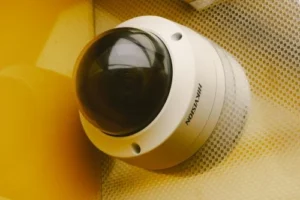
Which Outdoor Security Camera Is Best for an Apartment?
The Ring Outdoor Cam is the best overall choice for apartment security if you already use Ring devices. It combines a 4.6/5 Amazon rating, a large review base, battery power, color night vision, two-way audio, and customizable motion zones.
Related Posts
 | Best Battery Operated Outdoor Security Camera Picks |
 | Best Outdoor Security Camera for Cold Weather |
 | Cheap Gaming Laptop Under $500: 6 Best Budget Picks |
However, the best choice depends on your installation and storage needs. A renter who wants local storage and flexible placement may prefer the eufyCam C35, while a budget-conscious buyer can save money with the Tapo C120.
- Best Overall: Ring Outdoor Cam (Stick Up Cam)
- Best Budget: TP-Link Tapo C120
- Best for Renters: eufy Security eufyCam C35
- Best Simple Wireless Option: Blink Outdoor 4
Apartment security tip: A camera that is excellent for a detached house is not automatically the best camera for an apartment. Renters should pay close attention to mounting restrictions, power access, Wi-Fi range, privacy, and whether recorded footage requires a subscription.
Also read Best Battery Operated Outdoor Security Camera Picks
Best Outdoor Security Cameras for Apartments at a Glance
| Camera | Best For | Rating | Amazon |
|---|---|---|---|
| Ring Outdoor Cam | Ring ecosystem users | 4.6/5 — 9.2/10 | View at Amazon |
| TP-Link Tapo C120 | Budget and local storage | 4.4/5 — 8.8/10 | View at Amazon |
| eufyCam C35 | Renters and flexible mounting | 4.3/5 — 8.6/10 | View at Amazon |
| Blink Outdoor 4 | Simple wireless installation | 4.1/5 — 8.2/10 | View at Amazon |
Our Four Picks Compared
| Camera | Best For | Key Specifications | Amazon |
|---|---|---|---|
| Ring Outdoor Cam | Ring users | 1080p, 130° diagonal FOV, battery, color night vision, two-way audio | Buy on Amazon |
| Tapo C120 | Budget value | 2K QHD, 120° FOV, wired, IP66, local microSD storage up to 512GB | Buy on Amazon |
| eufyCam C35 | Renters | 1080p, 130° FOV, 6,500mAh battery, magnetic mount, IP67, microSD | Buy on Amazon |
| Blink Outdoor 4 | Simple wireless setup | 1080p, 143° diagonal FOV, 2 AA lithium batteries, two-way audio | Buy on Amazon |
The ratings above come from the Amazon listings reviewed for this guide. The 10-point scores convert the visible five-star ratings using a simple two-times scale. They are editorial scores, not Amazon ratings.
Ring Outdoor Cam (Stick Up Cam)
Best for Ring Users
Best For: Apartment residents who already use Ring products and want a flexible battery-powered outdoor camera.

RING
Ring Outdoor Cam (Stick Up Cam), Weather-resistant home or business HD security camera, Live View, Color Night Vision, Two-Way Talk, motion alerts, Works with Alexa, White
The Ring Outdoor Cam is the strongest overall pick for apartment security, especially for people already using Ring devices. The battery-powered camera combines 1080p video, color night vision, two-way audio, motion alerts, and customizable motion zones.
Who Should Buy It
Best for apartment residents who already use Ring products and want a flexible battery-powered outdoor camera. It also suits users who value easy placement and integration with Alexa.
Why We Pick It
It earned the Best Overall position because it combines a strong 4.6/5 Amazon rating with flexible battery operation, useful outdoor features, and a large established user base. Its main trade-off is the importance of Ring's subscription plan for reviewing, saving, and sharing recorded video.
Features & Benefits
| Feature | Benefit |
|---|---|
| 1080p HD video | provides clear live video for monitoring entrances, balconies, and outdoor areas |
| Color night vision | provides more visual detail after dark when sufficient light is available |
| Two-way talk | lets users communicate with people near the camera through the Ring app |
| Customizable motion zones | helps focus alerts on important areas and reduce unwanted notifications |
| Battery power | allows more flexible installation where running a power cable is difficult |
Pros & Cons
| Pros | Cons |
|---|---|
| ✓ Strong 4.6/5 Amazon rating | ✕ Recorded video features can require a subscription |
| ✓ Battery-powered installation | ✕ 1080p resolution is lower than some 2K competitors |
| ✓ Color night vision and two-way audio |
TP-Link Tapo C120
Best Budget / Best Value
Best For: Apartment users who want 2K video, local storage, smart detection, and low upfront cost.

TAPO
Tapo 2K+ Indoor/Outdoor Wired Security Camera, Baby Monitoring, C120
The TP-Link Tapo C120 is the best budget choice for apartment users who want 2K video, local storage, smart detection, and a low upfront cost. Its wired design works well when an outlet is available, while its magnetic base provides flexible mounting.
Who Should Buy It
Best for budget-conscious apartment users who want sharper 2K video and local storage without relying on a required monthly subscription. It is particularly useful when the mounting location has convenient access to power.
Why We Pick It
The C120 earned the Best Budget / Best Value position because it combines a 4.4/5 Amazon rating, 2K QHD video, IP66 weather resistance, and microSD storage support up to 512GB. Its wired power requirement makes it less flexible than battery-powered alternatives for some renters.
Features & Benefits
| Feature | Benefit |
|---|---|
| 2K QHD video | captures more detail than standard 1080p video |
| 120° field of view | provides broad coverage for entrances and smaller outdoor areas |
| IP66 weather resistance | helps protect the camera from dust and rain |
| MicroSD storage up to 512GB | allows local recording without depending entirely on cloud storage |
| Magnetic base | makes positioning and repositioning easier when the mounting surface is suitable |
| 2.4GHz Wi-Fi | provides wireless network connectivity for the camera |
Pros & Cons
| Pros | Cons |
|---|---|
| ✓ Affordable option | ✕ Requires wired power |
| ✓ 2K video quality | ✕ 120° field of view is narrower than Ring and Blink |
| ✓ Supports local microSD storage up to 512GB |
eufy Security eufyCam C35
Best for Renters
Best For: Renters who prioritize wireless operation, magnetic installation, local storage, and outdoor durability.

EUFY SECURITY
eufy Security eufyCam C35, Wireless Security Camera, Outdoor and Indoor
The eufyCam C35 is a strong renter-friendly option because it combines wireless operation, magnetic mounting, IP67 protection, color and infrared night vision, and local storage. Its flexible mounting design makes it easier to reposition or move when apartment circumstances change.
Who Should Buy It
Best for renters who prioritize wireless operation, easy magnetic installation, local storage, and outdoor durability. It is also a good fit for users who want to avoid a recurring monthly fee for core local-storage use.
Why We Pick It
The C35 earned the Best for Renters position because its battery power and magnetic mount address common apartment installation restrictions. IP67 protection and microSD storage up to 256GB add useful advantages for outdoor placement.
Features & Benefits
| Feature | Benefit |
|---|---|
| 1080p video | provides standard high-definition monitoring for outdoor and indoor areas |
| 130° field of view | covers a broad viewing area around an apartment entrance or balcony |
| 6,500mAh battery | provides wireless operation without requiring a permanent power cable |
| Magnetic mount | supports flexible installation and easier repositioning |
| IP67 protection | provides strong resistance to dust and water for outdoor use |
| MicroSD storage up to 256GB | enables local video storage without a required monthly fee for the core local-storage approach |
| Color and infrared night vision | supports nighttime monitoring in different lighting conditions |
Pros & Cons
| Pros | Cons |
|---|---|
| ✓ Excellent renter-friendly design | ✕ Smaller review base than the other picks |
| ✓ Magnetic and battery-powered installation | ✕ 1080p resolution is lower than the Tapo C120's 2K video |
| ✓ Local storage with no required monthly fee for core use |
Blink Outdoor 4
Best Simple Wireless Option
Best For: Apartment users who want a compact battery-powered camera with long battery life and straightforward installation.

BLINK
Blink Outdoor 4 – Wireless smart security camera, two-year battery life, 1080p HD day and infrared night live view, two-way talk. Sync Module Core included – 1 camera system
The Blink Outdoor 4 is a practical choice for apartment users who want simple wireless installation and long battery life. It provides 1080p live video, infrared night vision, two-way audio, and a wide 143° diagonal field of view.
Who Should Buy It
Best for apartment users who want a compact battery-powered camera with straightforward installation and long battery life. It is especially useful when running a permanent power cable is inconvenient.
Why We Pick It
It earned the Best Simple Wireless Option position because it offers up to two years of battery life, a wide field of view, and simple wireless installation. The main consideration is that local storage requires a compatible Sync Module, while cloud storage is available through Blink's subscription plans.
Features & Benefits
| Feature | Benefit |
|---|---|
| 1080p HD video | provides clear live monitoring for entrances and outdoor areas |
| 143° diagonal field of view | covers a wide area and can help reduce blind spots |
| Two AA lithium batteries | provide long-lasting wireless operation |
| Two-way audio | lets users communicate through the camera |
| Infrared night vision | provides nighttime monitoring without requiring visible lighting |
| Sync Module Core | supports the Blink system and compatible local-storage options |
Pros & Cons
| Pros | Cons |
|---|---|
| ✓ Long battery life | ✕ Local storage requires compatible hardware |
| ✓ Wide 143° field of view | ✕ Cloud recording features can involve a subscription |
| ✓ Simple wireless installation |
How to Choose the Best Outdoor Security Camera for an Apartment
The best apartment security camera should match your installation limits, power access, coverage area, storage preference, and privacy needs. A camera with impressive specifications can still be a poor choice if you cannot install it where you need it.
1. Check Whether You Can Mount the Camera
Installation is one of the biggest differences between apartment cameras and cameras for detached homes. Renters may not be allowed to drill into exterior walls, doors, ceilings, or balconies.
Battery-powered cameras provide more flexibility because they do not require a permanent power cable. Magnetic mounts can also make repositioning easier, although the mounting surface must be suitable and secure.
The eufyCam C35 is particularly interesting for renters because its official specifications list magnetic mounting and battery power. The Tapo C120 also uses a magnetic base, although it remains a wired camera. eufy’s official product specifications provide the C35’s current mounting and storage details.
2. Decide Between Battery and Wired Power
Choose battery power when installation flexibility matters most. Choose wired power when you have a convenient outlet and want continuous power without regularly changing or charging batteries.
Battery cameras are often easier to move. That makes them attractive to renters who may change apartments later.
Wired cameras can still work very well in apartments. The key is having a safe cable route and an outlet close enough to the intended mounting position.
3. Check Your Wi-Fi Before Installation
A wireless security camera still needs a reliable network connection. A camera placed near an exterior wall, balcony, parking area, or entrance may receive a weaker signal than a camera inside the apartment.
Before mounting the camera permanently, check Wi-Fi performance at the intended location. A strong signal can reduce connection problems and missed alerts.
For example, the Tapo C120 connects through Wi-Fi and does not have an Ethernet port. TP-Link also specifies its 2.4GHz wireless connection and flexible magnetic installation. TP-Link’s official C120 page provides the current specifications.
4. Consider the Field of View
A wider field of view can reduce blind spots around an apartment entrance or balcony. However, wider coverage does not always mean better identification at a distance.
For a narrow doorway, a moderate field of view may be enough. A wider balcony or shared entrance may benefit from greater coverage.
The Blink Outdoor 4 lists a 143-degree diagonal field of view. Ring lists 130 degrees diagonally for the Outdoor Cam, while Tapo C120 uses a 120-degree diagonal field of view.
5. Look Beyond Resolution
Resolution matters, but it is not the only factor that determines useful security footage.
Night performance, lens quality, field of view, lighting, motion detection, and camera placement can affect the final image just as much.
A 2K camera mounted badly can provide less useful footage than a well-positioned 1080p camera.
6. Check Night Vision
Night vision is essential if the camera protects an entrance, balcony, parking area, or walkway after dark.
Infrared night vision can produce a clear monochrome image. Color night vision can reveal additional visual information when the camera has enough light or uses built-in illumination.
The Ring Outdoor Cam provides color night vision. The Tapo C120 uses color night vision with spotlights and also offers infrared modes. The eufyCam C35 supports both color and infrared night vision, while Blink Outdoor 4 uses infrared night vision.
7. Compare Local Storage and Cloud Storage
Local storage can reduce recurring costs because recordings can be stored on a memory card or compatible local device. Cloud storage can make remote access and video management easier, but it may require a subscription.
The Tapo C120 supports microSD storage up to 512GB. Its manufacturer also offers Tapo Care cloud storage as a subscription service.
The eufyCam C35 supports microSD storage up to 256GB and does not require a monthly fee for its core local-storage approach. Blink Outdoor 4 can use local storage with compatible Sync Modules, while cloud storage is available through Blink’s subscription plans.
Ring’s current Outdoor Cam documentation explains that a Ring subscription is used to review, save, and share recorded videos. That makes subscription cost an important part of the Ring buying decision.
8. Consider Subscription Costs Before Buying
A cheap camera can become expensive if important recording features require a monthly plan.
If you want to avoid recurring fees, prioritize a camera with useful local storage. The Tapo C120 and eufyCam C35 are especially attractive for this reason.
Ring and Blink can still be good choices. However, buyers should understand which features and recording options depend on their respective subscription plans.
9. Check Weather Protection
An outdoor camera needs protection against rain, dust, and changing temperatures. Look for an established weather-resistance rating instead of assuming that every camera marketed as outdoor-ready offers the same protection.
The Tapo C120 carries an IP66 rating. The eufyCam C35 carries an IP67 rating. Ring describes the Outdoor Cam as weather resistant, while Blink Outdoor 4 is designed for outdoor use.
Even with weather resistance, placement matters. Avoid locations where water can collect around connectors or where direct exposure exceeds the manufacturer’s operating conditions.
10. Think About Privacy
Position the camera so it protects your property without unnecessarily recording neighbors or shared private spaces.
This matters even more in apartments because balconies, hallways, walkways, parking areas, and entrances may be shared.
Use activity zones, privacy zones, and block zones where available. These features can help reduce unwanted recording and unnecessary alerts.
The Tapo C120, for example, provides customizable block zones and activity zones. Ring also provides customizable motion zones.
What Makes Cameras for Apartments Different?
Apartment security cameras need to work within tighter installation and privacy constraints than many traditional home-security setups. Renters often cannot run permanent cables or drill wherever they want.
That makes portability and mounting flexibility more important.
- Installation: Look for battery or flexible mounting options when drilling is restricted.
- Power: Check whether an outlet is available near the camera location.
- Wi-Fi: Test the signal before installing the camera.
- Privacy: Avoid unnecessary views into neighboring homes or shared private areas.
- Storage: Decide whether you want local storage or cloud recording.
- Portability: Renters may prefer cameras that can move with them.
- Weather: Exterior locations need suitable weather protection.
If you are building a broader smart-home setup, you can also explore these smart devices for home to see how cameras can fit into a connected setup.
Battery vs. Wired Outdoor Cameras for Apartments
Battery-powered cameras are usually easier for renters, while wired cameras are better when continuous power is more important. Neither type is automatically better for every apartment.
Advantages of Battery Cameras
- No permanent power cable is required.
- Installation can be more flexible.
- The camera can be moved when you relocate.
- They work well where outlets are unavailable.
- They can suit balconies and temporary mounting locations.
Disadvantages of Battery Cameras
- Batteries eventually need replacement or charging.
- Heavy motion activity can reduce battery life.
- Some models limit continuous recording.
- Cold or hot conditions can affect battery performance.
Advantages of Wired Cameras
- Continuous power reduces battery maintenance.
- They can support longer monitoring periods.
- There is no need to remove the camera for charging.
- They can work well in locations with nearby outlets.
Disadvantages of Wired Cameras
- A suitable outlet must be available.
- Cables can be difficult to hide in rental properties.
- Installation may be less portable.
- Exterior cable routing can create additional installation concerns.
For renters who cannot make permanent changes, a battery model such as the Ring Outdoor Cam, eufyCam C35, or Blink Outdoor 4 can be easier to manage.
For shoppers who have a suitable outlet and want strong local storage at a low price, the Tapo C120 is a compelling alternative.
Can Outdoor Security Cameras Be Used Indoors?
Yes. An outdoor-rated camera can usually be used indoors if the manufacturer supports indoor placement. Outdoor cameras often provide weather protection that is unnecessary indoors, but the extra durability does not prevent indoor use.
The more important question is whether the camera fits the indoor location.
A camera with a wide field of view may work well in a living room. A camera with infrared or invisible night vision may also be useful in a bedroom or hallway.
The Tapo C120 is specifically designed for indoor and outdoor use. Its manufacturer lists indoor areas such as living rooms and bedrooms alongside outdoor locations.
The eufyCam C35 is also listed for indoor and outdoor use. That flexibility can help renters use one camera in different locations as their needs change.
What Is a Good Outdoor Security Camera?
A good outdoor security camera provides dependable video, useful motion detection, weather protection, suitable storage, and an installation method that works for your property.
For an apartment, installation flexibility becomes especially important.
A camera should also provide enough field of view to cover the intended area. Strong night vision can make a major difference when the camera watches an entrance after dark.
Finally, check the storage model before buying. A camera that requires a subscription for every recording may not be the best value for a budget-conscious renter.
What Is the Best Affordable Outdoor Security Camera?
The TP-Link Tapo C120 is the strongest affordable choice in this roundup. The Amazon listing reviewed for this guide showed a discounted price of $35.99 from $39.99.
It combines 2K QHD video, color night vision, smart AI detection, two-way audio, local storage, and IP66 weather protection.
Tom’s Guide also praised the C120 for its sharp 2K video, color night vision, intelligent alerts, and local recording without requiring a monthly subscription. Its review called it one of the best cameras available for its price.
The Tapo C120 is not completely wire-free, though. It requires power, so renters should confirm that the included cable can reach a suitable outlet.
What Is the Best Wireless Security Camera for Outdoors?
The Blink Outdoor 4 is the strongest simple wireless choice in this roundup. It uses two AA lithium batteries and is rated for up to two years of battery life under default settings.
Blink lists a 143-degree diagonal field of view, 1080p video, two-way audio, and 2.4GHz Wi-Fi. The camera also requires a Sync Module for network connectivity.
Tom’s Guide has repeatedly positioned the Blink Outdoor 4 as a strong budget outdoor camera. Its testing highlighted the camera’s compact design, long battery life, wider field of view, and improved motion detection.
Keep the Sync Module requirement in mind when planning the installation. The camera itself may be wire-free, but the system still needs a powered module connected to the home network.
Camera for Apartment Security: Where Should You Place It?
The best placement depends on what you need to protect. For most apartments, the entrance is the first area to consider.
Apartment Entrance
An entrance-facing camera can monitor visitors, deliveries, and movement near the doorway. Position the camera so it captures the approach without unnecessarily recording private areas.
Balcony
A balcony camera can monitor an exterior-facing area, but renters should confirm building rules before mounting anything outside.
Weather exposure also matters. A camera designed for outdoor use is a safer choice than an indoor-only model.
Window
Window placement can be useful when exterior mounting is prohibited. However, glass can cause reflections and reduce nighttime image quality.
If you use a camera through a window, test the view during both daytime and nighttime conditions.
Garage or Parking Area
A camera may help monitor a garage or private parking area if the apartment building provides one. Wi-Fi range becomes particularly important in these locations.
Security Cameras for Apartments and Renters: Installation Tips
Renters should choose the least permanent installation method that still provides a secure camera position.
Start by checking the lease and building rules. Some properties restrict exterior devices, balcony installations, door modifications, or cameras that record shared spaces.
Next, identify whether the camera can sit on a stable surface. A freestanding camera can eliminate drilling, but it may be easier to move or knock over.
Magnetic mounting can be convenient, but it works best when the mounting surface and attachment method are appropriate for the camera’s weight and environment.
For more battery-focused options, our guide to battery-operated outdoor security cameras can help you compare the benefits of wireless operation.
Do I Need My Landlord’s Permission for an Indoor Security Camera?
It depends on your lease, building rules, camera placement, and local privacy requirements. A camera inside a private apartment is different from a camera installed in a hallway or aimed at a shared area.
Before installing a camera, review your rental agreement and building policies. If the camera requires drilling, permanent wiring, or exterior mounting, permission may be especially important.
Privacy also matters. Avoid positioning a camera where it unnecessarily records neighbors, other apartments, or areas where people reasonably expect privacy.
For shared spaces, consider whether your building has specific security-camera rules. When in doubt, ask the landlord or property manager before making a permanent installation.
Will a No-Drill Mount Damage My Door or Wall?
A no-drill mount can reduce installation damage, but it does not guarantee a completely damage-free installation.
Adhesive products can pull paint from some surfaces. Magnetic mounts generally avoid adhesive contact, but they still require a suitable mounting surface.
Weight, surface texture, heat, humidity, and outdoor exposure can all affect mounting reliability.
For a rental property, test the mounting method in a safe location when possible. Follow the manufacturer’s mounting instructions rather than relying only on generic adhesive advice.
Can I Take These Cameras With Me When I Move?
Yes, battery-powered cameras are generally easier to move than permanently wired cameras. The camera itself may be portable, but the mounting hardware and installation method still matter.
Ring Outdoor Cam, eufyCam C35, and Blink Outdoor 4 all use battery power. That makes them more flexible for renters who expect to move.
The Tapo C120 uses wired power, so moving it requires access to a suitable outlet at the new location.
Also remember that moving a camera means setting up the device on the new Wi-Fi network and checking the new camera angle.
Local Storage vs. Cloud Storage for Apartment Cameras
Local storage is usually the better choice if you want to reduce recurring subscription costs. Cloud storage is more convenient when you want recordings managed remotely by the camera provider.
Why Choose Local Storage?
- It can reduce monthly fees.
- Footage can remain stored locally.
- You can often choose your own storage capacity.
- It can be useful for long-term recording.
Why Choose Cloud Storage?
- Footage can be accessed remotely.
- Video management can be easier.
- Storage does not depend on a memory card remaining healthy.
- Some advanced detection features may be tied to cloud plans.
The Tapo C120 supports microSD cards up to 512GB. The eufyCam C35 supports microSD cards up to 256GB. Blink Outdoor 4 supports local storage through compatible Sync Modules.
Ring’s recording model is more subscription-focused. Buyers should therefore consider the recurring cost before choosing Ring solely because of its strong Amazon rating.
Do Outdoor Cameras Need Night Vision?
Yes, night vision is important when an outdoor camera needs to protect an area after dark. Without useful low-light performance, a camera can become much less valuable when you need it most.
Infrared night vision works well when there is little visible light. Color night vision can provide more visual information when sufficient illumination is available.
Spotlights can also improve nighttime visibility. The Tapo C120 combines color night vision with built-in spotlights, while the Ring Outdoor Cam and eufyCam C35 offer color night vision.
Blink Outdoor 4 uses infrared night vision. That can still provide useful nighttime footage, particularly when the camera is positioned within an appropriate viewing distance.
Are Wireless Outdoor Cameras Good for Apartments?
Yes. Wireless outdoor cameras can be excellent for apartments because they reduce the need for permanent power wiring.
They are especially useful for renters who want to move the camera later. Battery operation can also solve the problem of outdoor locations without convenient electrical outlets.
However, wireless does not mean maintenance-free. Batteries need replacement or charging, and Wi-Fi coverage still matters.
For a camera system that becomes part of a larger connected home, you can also explore smart-home system options before choosing an ecosystem.
What Is the Best Camera for Apartment Security?
The best camera for apartment security is the one that matches your installation limits and recording needs. There is no single model that is ideal for every renter.
Choose the Ring Outdoor Cam if you already rely on Ring and want a flexible battery-powered option.
Choose the Tapo C120 if low cost, 2K video, local storage, and smart detection matter most.
Choose the eufyCam C35 if magnetic mounting, battery power, IP67 protection, and local storage are priorities.
Choose the Blink Outdoor 4 if you want a simple wireless camera with long battery life and a mature budget-focused ecosystem.
What Should You Check Before Installing an Apartment Security Camera?
Use this quick checklist before mounting the camera.
- Confirm that your lease allows the planned installation.
- Check whether drilling is permitted.
- Check whether exterior devices require approval.
- Test Wi-Fi strength at the intended camera location.
- Confirm that the camera can handle the weather exposure.
- Choose a suitable power source.
- Check the camera’s field of view.
- Set activity or privacy zones where available.
- Choose local or cloud storage based on your budget.
- Check subscription requirements before buying.
- Make sure the camera does not unnecessarily record private areas.
For additional connected-home ideas, our guide to smart-home devices for beginners can help you plan a broader setup without buying everything at once.
How to Reduce False Security Camera Alerts
The easiest way to reduce unwanted alerts is to limit the camera’s detection area and adjust its sensitivity.
A camera facing a busy road, shared hallway, tree, or moving shadows can generate more alerts than necessary.
Use activity zones when available. Person detection can also reduce irrelevant notifications when the camera supports it.
The Tapo C120 supports activity zones and AI detection for people, pets, and vehicles. Ring provides customizable motion zones. Blink Outdoor 4 offers enhanced motion detection and person detection with supported subscription features.
Correct placement matters too. Avoid pointing the camera directly at bright lights, reflective glass, or areas with constant movement.
How Much Camera Coverage Does an Apartment Need?
Most apartments do not need a large multi-camera system. One strategically positioned camera can often cover the main entrance or another important outdoor area.
Start with the location that creates the greatest security gap. For many renters, that means the front door or an exterior-facing entrance.
Add another camera only when one camera cannot cover the required areas without creating excessive blind spots.
A four-camera system may make sense for a large property, but it can be excessive for a small apartment.
Should You Buy a Camera With a Subscription?
A subscription is worthwhile when its extra storage, detection, or security features solve a problem you actually have. It is not automatically worth paying for simply because the camera supports it.
If you mainly want live viewing and local recording, a camera such as the Tapo C120 or eufyCam C35 can reduce recurring costs.
If you prefer a mature ecosystem and convenient cloud recording, Ring or Blink may be more appealing.
Always compare the camera’s purchase price with its expected subscription cost over several years. A cheaper camera can become more expensive if you rely heavily on paid cloud services.
How the Four Cameras Fit Different Apartment Needs
Each selected camera solves a slightly different problem.
Choose Ring Outdoor Cam If You Already Use Ring
The Ring Outdoor Cam makes the most sense when your apartment already includes Ring devices or Alexa-based routines. Its strong 4.6/5 Amazon rating and large review count also provide substantial customer feedback.
The main trade-off is the importance of Ring’s subscription model for reviewing and saving recorded video.
Choose Tapo C120 for Value
The Tapo C120 is the strongest choice when the goal is to maximize features per dollar. Its 2K resolution, color night vision, local storage, AI detection, and IP66 design are impressive at its current listed price.
Its main limitation for renters is simple: it needs wired power.
Choose eufyCam C35 for Rental Flexibility
The eufyCam C35 is especially attractive when mounting flexibility and local storage matter. Its magnetic mount and battery design reduce the installation barriers that renters often face.
The smaller Amazon review count means its 4.3/5 rating should be interpreted with more caution than Ring’s much larger review base.
Choose Blink Outdoor 4 for Simple Wireless Coverage
Blink Outdoor 4 is a strong budget choice when you want a small wireless camera with long battery life. Independent testing from Tom’s Guide has also highlighted its affordability, easy setup, and battery performance.
However, the system requires a Sync Module, and some features depend on a Blink subscription.
Our related guide to outdoor security cameras for cold weather is also useful if your planned camera location experiences unusually low temperatures.
External Sources and Further Reading
For the most accurate product specifications, check the manufacturers’ current documentation before purchasing. Product specifications and Amazon prices can change over time.
Ring Outdoor Cam official specifications
TP-Link Tapo C120 official specifications
eufyCam C35 official specifications
Blink Outdoor 4 official technical specifications
Final Thought
The right outdoor security camera for an apartment depends on your installation limits, storage preference, budget, and smart-home ecosystem.
- Best Overall: Ring Outdoor Cam (Stick Up Cam) — 4.6/5, 9.2/10, Amazon’s Choice | View Now at Amazon
- Best Budget: TP-Link Tapo C120 — 4.4/5, 8.8/10, Amazon’s Choice | View Now at Amazon
- Best for Renters: eufy Security eufyCam C35 — 4.3/5, 8.6/10, Amazon’s Choice | View Now at Amazon
- Best Simple Wireless Option: Blink Outdoor 4 — 4.1/5, 8.2/10, Amazon’s Choice | View Now at Amazon
Choose the camera that fits your apartment first, then consider extra features that make everyday security easier.